Quanta,
on your desktop.
A small, fast native timer for Mac and Windows. It lives in your menu bar, syncs with your workspace in real time, notices when you step away, and keeps itself up to date.
Included with every Quanta workspace — sign in with your existing account. No account yet? Start free.
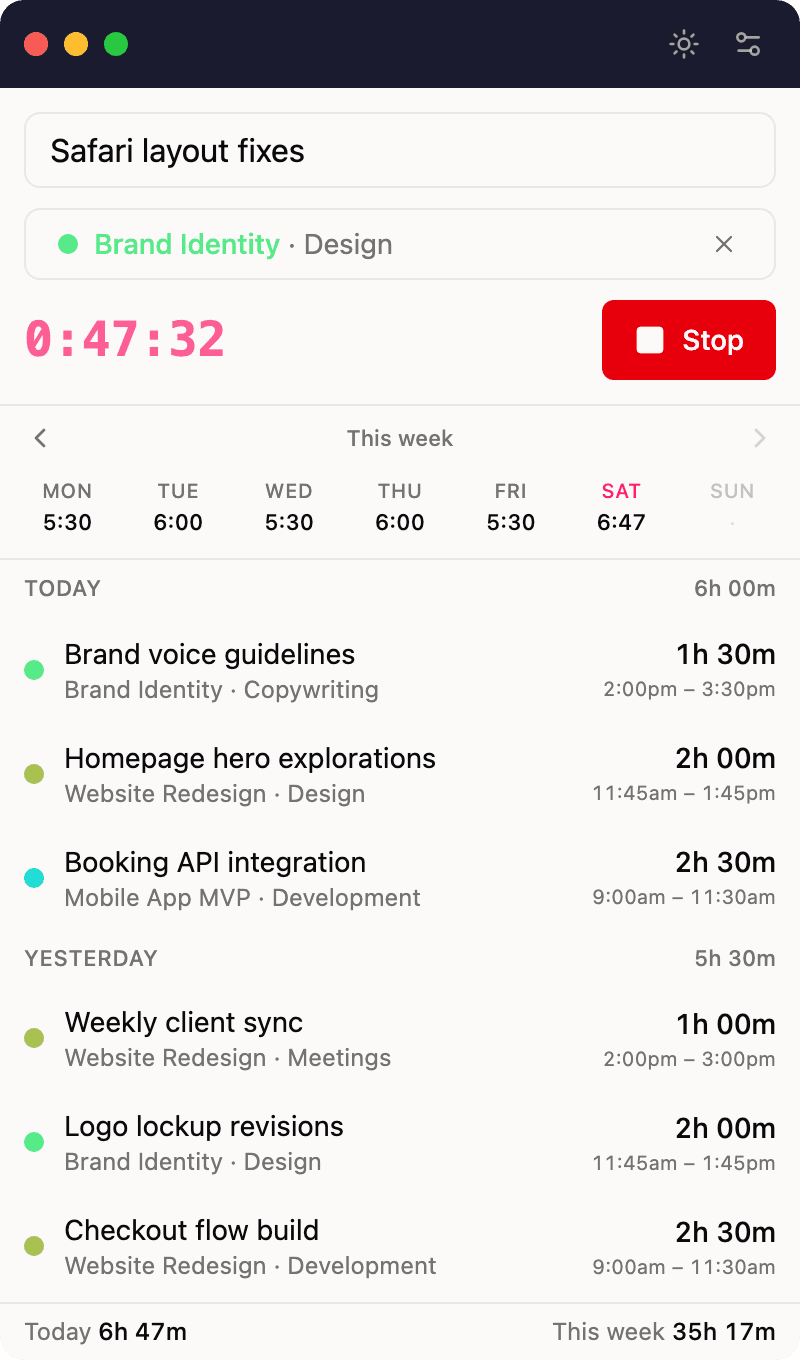
Built to disappear into your day
Everything the desktop app does is in service of one thing: making tracked time accurate without making you think about it.
Start first, details later
Hit Start the moment work begins. Required fields are only enforced when you stop, so nothing slips into reports half-filled.
Global shortcut
⌘⇧Space on Mac, Ctrl+Shift+Space on Windows — summon the window and toggle the timer from inside any app.
Idle detection
Step away with the timer running and Quanta asks what to do when you're back: keep, discard, split, or stop at the moment you left.
Real-time sync
Timers and edits flow between desktop, web, and the rest of your team's devices within seconds.
Launch at login
Optional autostart keeps the tray timer one click away from the moment you sit down.
Sign in like the web
Google sign-in or email and password — the same account, projects, and permissions you already have.
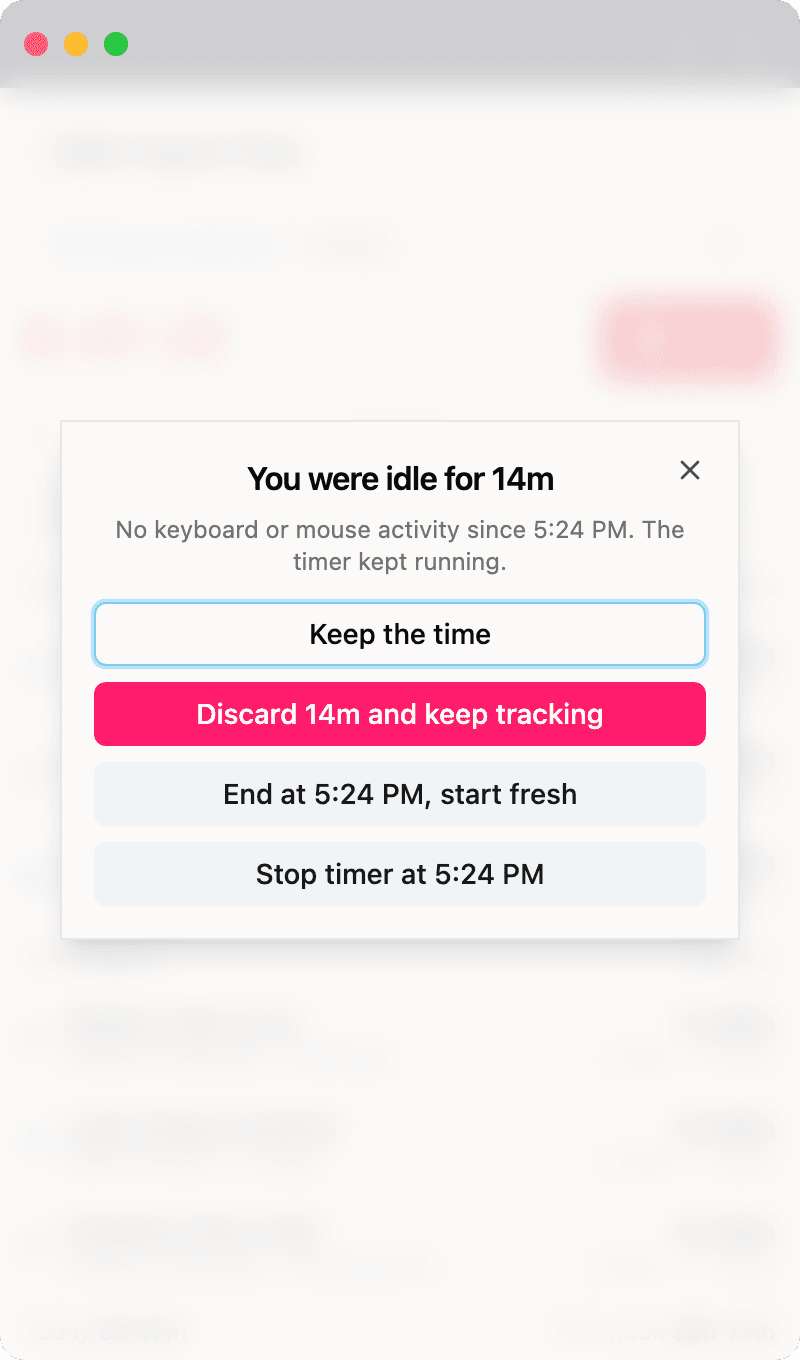
Honest hours, even when you wander off
Idle detection runs at the operating-system level, so it works even while the app sits in the tray. Set the threshold to whatever suits you — five minutes, thirty, or your own custom value — and decide per occasion what happens to the time you were away.
Updates install themselves: new versions download in the background and apply on the next restart, so your team is always current.